
Call us : +91 9447748399
Mail us : sales@quotationer.com
Mail us : sales@quotationer.com
MAINTENANCE MANAGEMENT
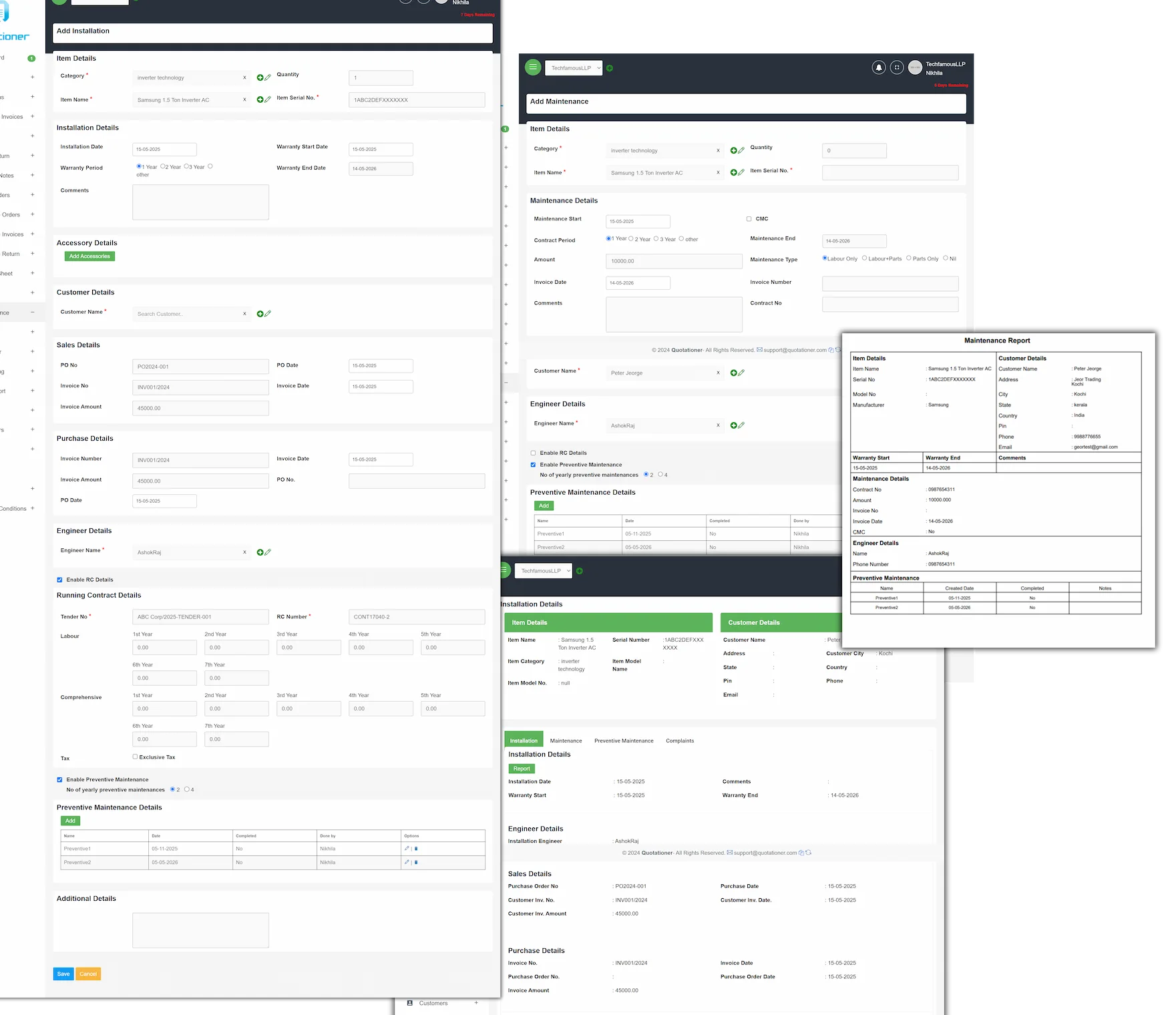
Proactive Maintenance Management for Optimized Asset Performance
Simplify warranty and service management with our comprehensive maintenance module, seamlessly integrated within Quotationer Cloud. Stay ahead of equipment issues, avoid costly downtime, and ensure long-term customer satisfaction with proactive maintenance and warranty tracking.
Key Features:
- Automated Alerts: Receive timely reminders of approaching warranty or maintenance contract expiry, enabling proactive scheduling.
- Effortless Report Generation: Quickly create detailed installation reports and maintenance contracts, streamlining documentation.
- Advanced Filtering: Easily search and manage installation and maintenance lists by item, serial number, customer, location, and more.
- Efficient Service Request Management: Handle service requests for items under warranty or maintenance contracts with a centralized system.
- Engineer-Friendly Design: Technicians can effortlessly manage their assigned service requests, optimizing response times.
Benefits:
- Protect Customer Investments: Proactive maintenance extends asset lifespan and upholds warranty agreements.
- Reduce Unexpected Downtime: Preventative maintenance minimizes disruptions and costly repairs.
- Streamline Operations: Centralized record-keeping and automated reminders improve team efficiency.
- Enhance Customer Loyalty: Demonstrate commitment to after-sales support, building trust and satisfaction.
Overview
A Maintenance Management System is designed to streamline service operations, ensuring efficient handling of equipment installations, maintenance tasks, and complaint resolution. The system is typically divided into three core modules:
Installation Module
Key Features
-
Client & Site Capture: Records details of clients, site locations, and contact information.
-
Equipment Registration: Logs installed equipment with serial numbers, models, and installation dates.
-
Technician Assignment: Assigns technicians responsible for each installation.
-
Installation Scheduling: Allows planning and managing installation dates and times.
-
Checklist Integration: Includes installation checklists and quality control steps.
-
Attachment Uploads: Uploads supporting documents such as manuals, installation photos, or invoices.
Benefits
-
Ensures standardized installation processes.
-
Improves traceability of installed assets.
-
Minimizes installation errors and omissions.
-
Enhances customer satisfaction through timely installations.
Maintenance Module
Key Features
-
Preventive & Corrective Maintenance: Supports both scheduled and emergency maintenance.
-
Complaint Integration: Pulls complaint data into the maintenance form for seamless service delivery.
-
Technician Assignment & Tracking: Assigns maintenance tasks and tracks their status.
-
Service Logs: Maintains detailed records of services performed, spare parts used, and costs.
-
Notifications: Sends reminders for upcoming maintenance.
-
Status Monitoring: Allows marking tasks as pending, in-progress, or completed.
Benefits
-
Extends equipment life through regular servicing.
-
Reduces downtime by quickly addressing issues.
-
Improves efficiency of service teams.
-
Enhances visibility into operational health and costs.
-
Provides compliance with service-level agreements (SLAs).
Complaint Management Module
Key Features
-
Complaint Logging: Allows users to raise complaints with date, time, and detailed descriptions.
-
Client & Equipment Mapping: Maps complaint to specific client and equipment.
-
Complaint Type Categorization: Helps filter and prioritize issues (e.g., mechanical, electrical, software).
-
Assignment and Escalation: Assigns complaints to staff and escalates unresolved issues.
-
Complaint History: Tracks complaint resolution timeline and history for audits.
-
Closure Confirmation: Includes customer satisfaction feedback upon complaint resolution.
Benefits
-
Speeds up issue resolution and improves customer satisfaction.
-
Enables data-driven insights into recurring problems.
-
Reduces communication gaps with structured complaint handling.
-
Boosts accountability among service teams.
-
Provides full transparency for management and clients.
Overall System Benefits
-
Centralized Data Management: All equipment, client, and service data is in one place.
-
Improved Productivity: Reduces time spent on manual tracking and follow-ups.
-
Audit Readiness: Maintains service history for compliance and quality audits.
-
Enhanced Decision-Making: Reports and dashboards offer actionable insights.
-
Customer Retention: Smoother service delivery improves client satisfaction and loyalty.